Download “Constant-Speed and Isothermal Extrusion System 2025 for Aluminum Extrusion Plants” (Right-click → Save link as to download.)
1
Introduction
Aluminum Extrusion System for PC – A Fully Realized Solution
Our PC-based aluminum extrusion system—comprising isothermal extrusion, constant-speed ram control, and billet tables per extrusion die, along with daily work reports—meets the essential requirements of a complete system.
Aluminum extrusion has long been referred to as “the rice of industry” due to its fundamental role in manufacturing. However, it has traditionally been considered unsuitable for automation, making systemization extremely difficult. In this context, achieving this level of systemization is a significant milestone—“good enough” truly means “remarkably advanced.”
This achievement is supported by our experience maintaining the PC-based anodizing system used in downstream processes. Both systems are composed of three core programs:
- Extrusion System: RcdWIN, EM, EDA
- Anodizing System: Monitoring, Loading, Scheduling
Three programs per system is a practical choice, balancing functionality and maintainability. Adding more programs could increase complexity and hinder long-term support.
Interestingly, the extrusion system features numerous graphs, while the anodizing system has none. This contrast likely stems from the fact that anodizing equipment is already modularized by machine manufacturers, eliminating the need for graphical control data. In contrast, extrusion processes may still lack such modularization, necessitating visual data for effective control.
New Features Introduced in the Latest Extrusion System (2025 Edition)
・Isothermal Extrusion at Stable Temperatures
・Constant-Speed Extrusion with Pressure Compensation for Older Machines
(Older extrusion machines tend to have significant pressure fluctuations.)
・Daily Work Reports for Operational Transparency
↑TOP of Page
2
System Configuration
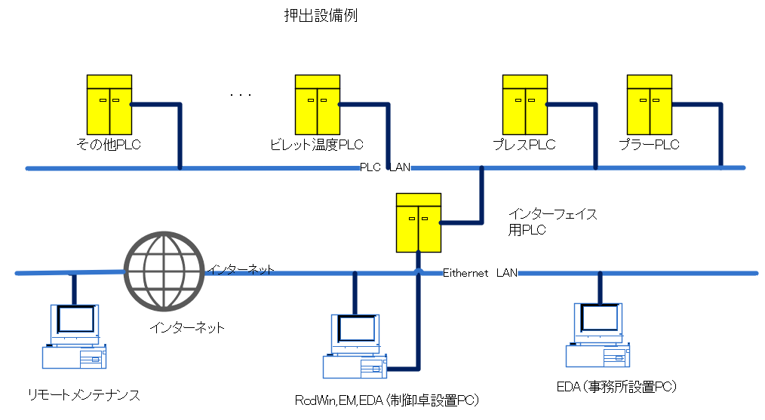
It is a PLC for an interface that connects to one computer and a LAN.
・Three programs work on one computer.
・There are two LAN ports on your computer, one for PLC and the second for the Internet.
PLC is used to exchange signal data with equipment.
You need a LAN for the Internet.
・Remote maintenance using the Internet.

↑TOP of Page
3
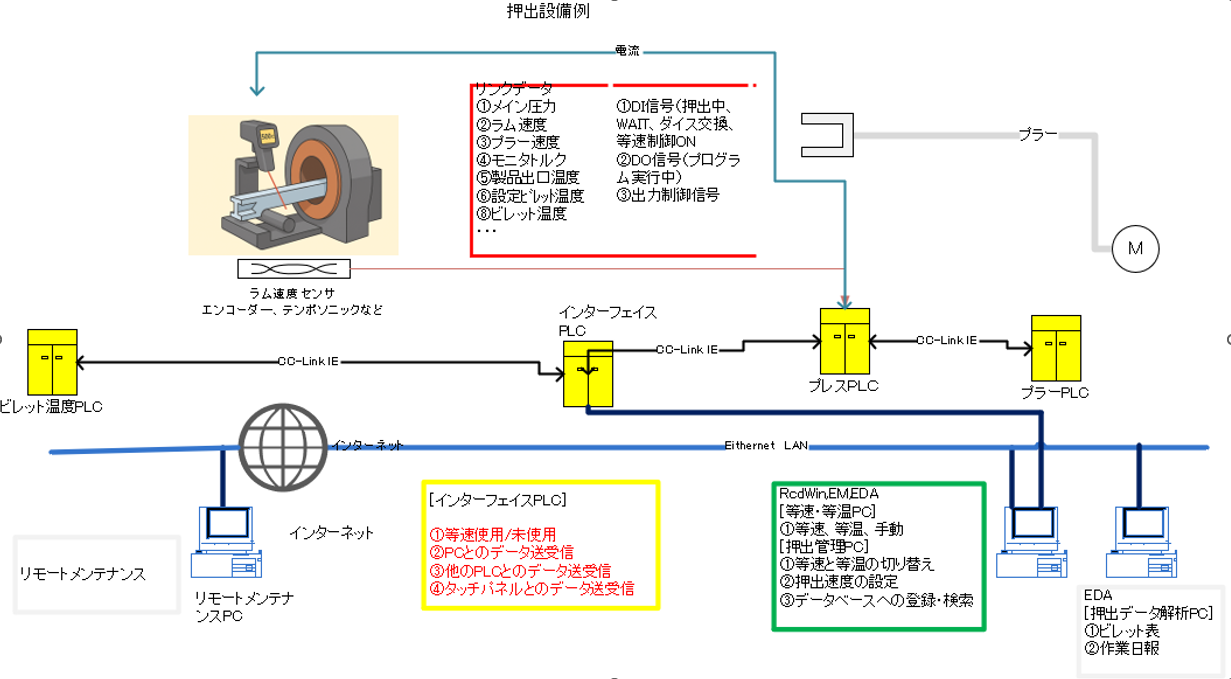
Example system configuration (constant-speed extrusion and
isothermal extrusion)
Constant-speed extrusion
・Analog data requires main pressure, ram speed and monitor torque.
・Digital in requires cycle stop (Wait), die change, constant velocity use/unused during extrusion.
・Analog out output control torque.
・Digital Out is running constant speed program.
Isothermal
・Profile Outlet Temperature.
PLC networks can be CC-Link IE field networks, FEnet, etc.
Remote maintenance using the Internet.

↑TOP of Page
4
PLC Interface Data(RcdWin)

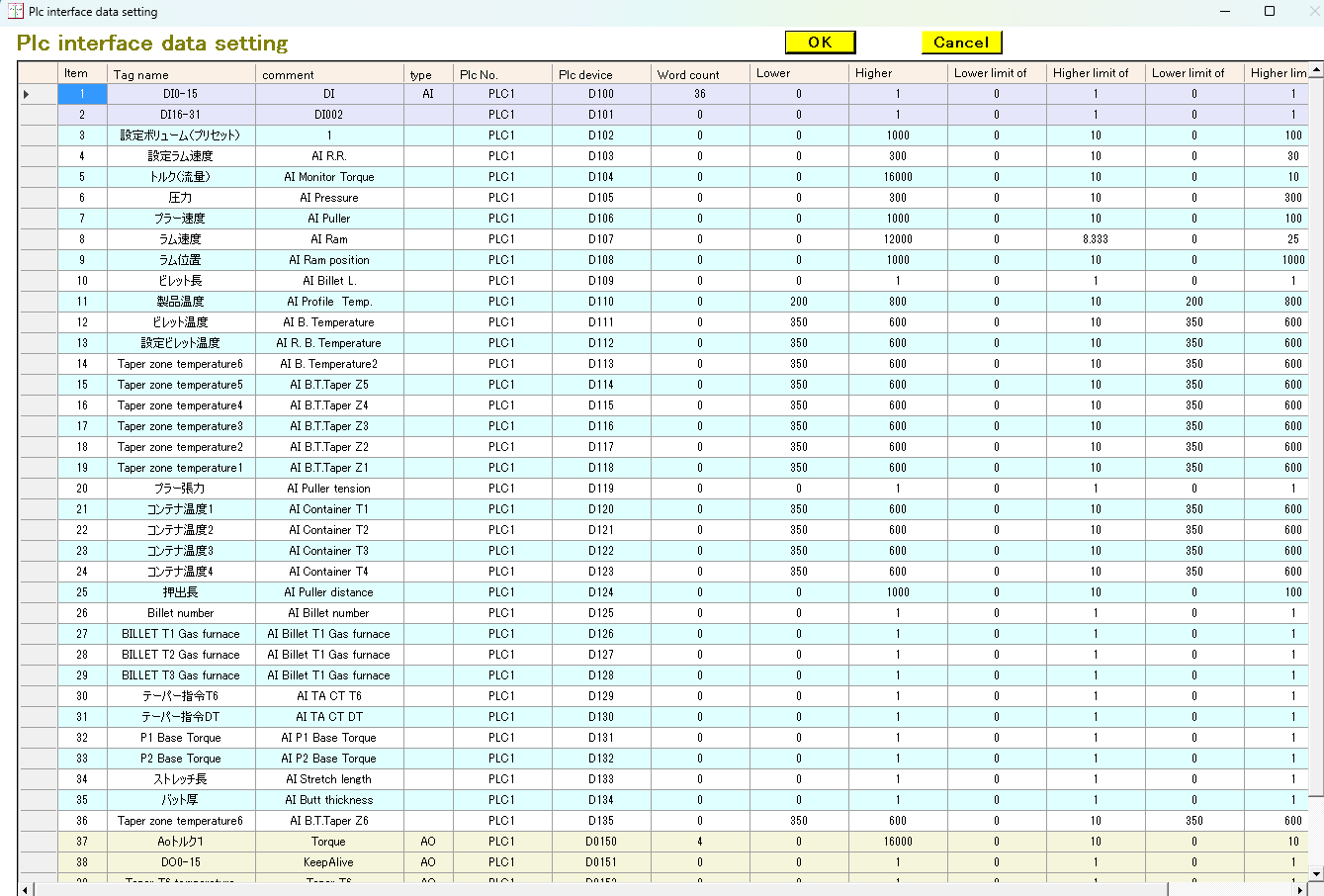
Figure 4-1 > PLC Interface Data
Set the PLC interface data in RcdWin.
Set the scale and units of the analog data.

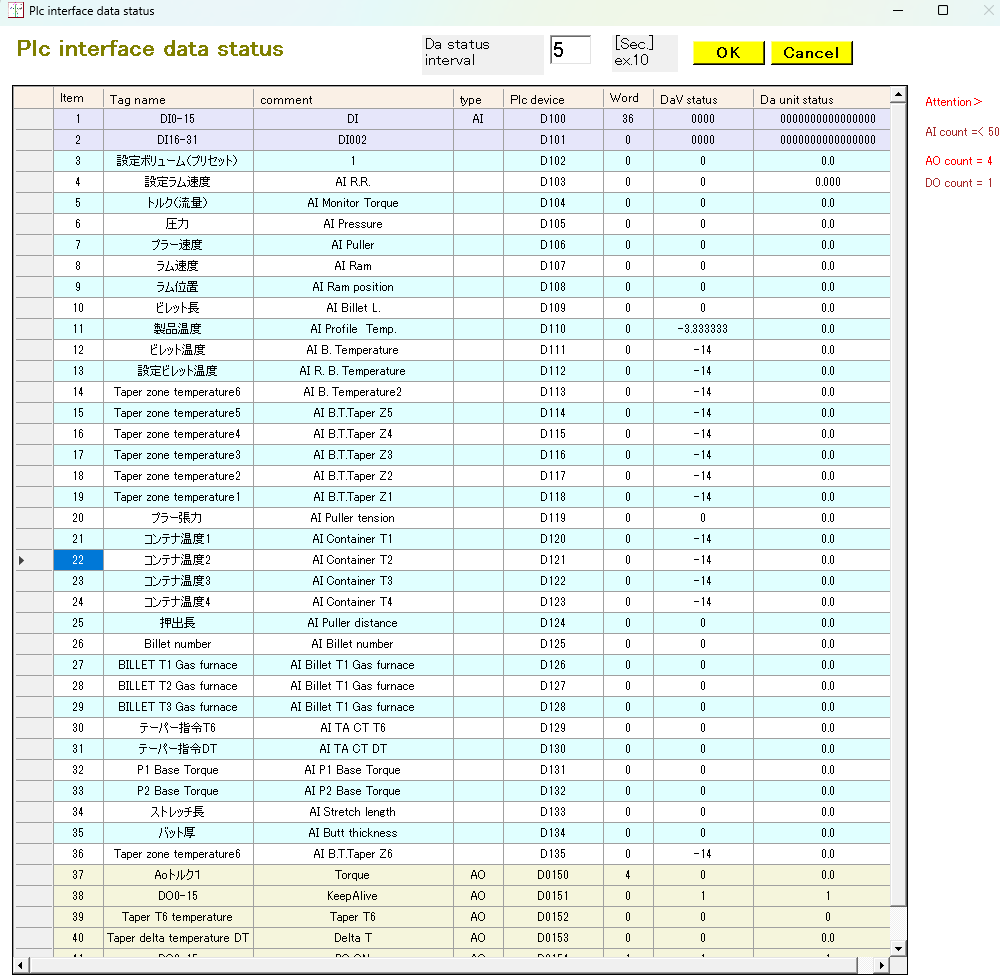
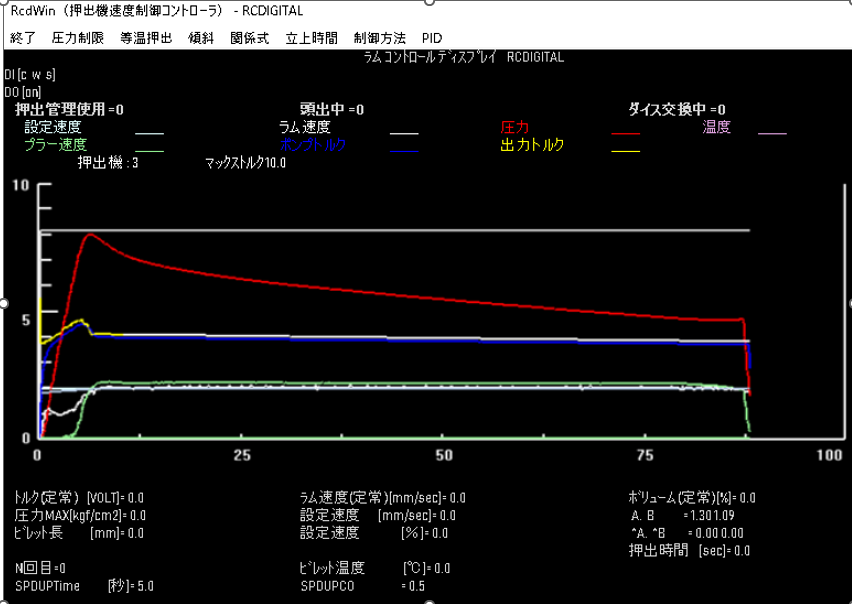
Figure 4-2 > PLC Interface Data
Current analog data, DI, and DO values are displayed.

Figure 4-3 > PLC Interface Data
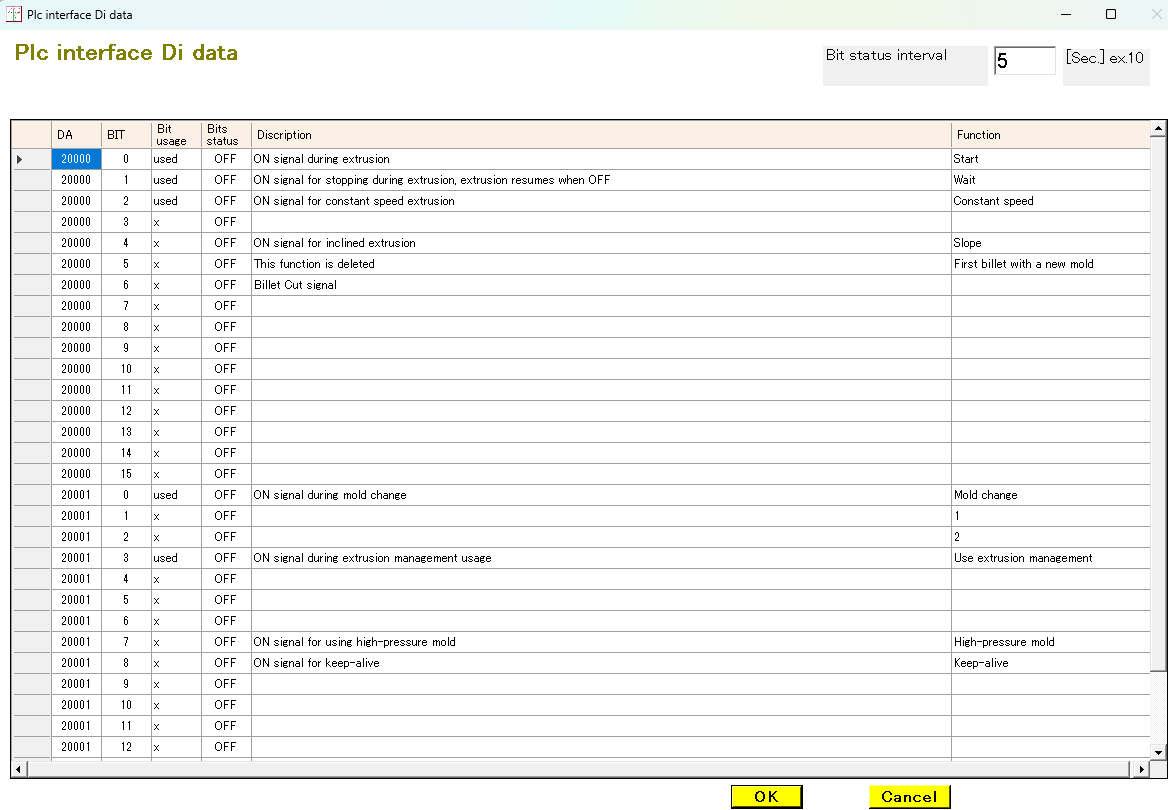
This is the DI data setting. The most commonly used are:
Extrusion in progress,
Cycle stop,
Constant speed use,
Die change. In other words, RcdWin will operate if you send these four to the interface PLC.
↑TOP of Page
5
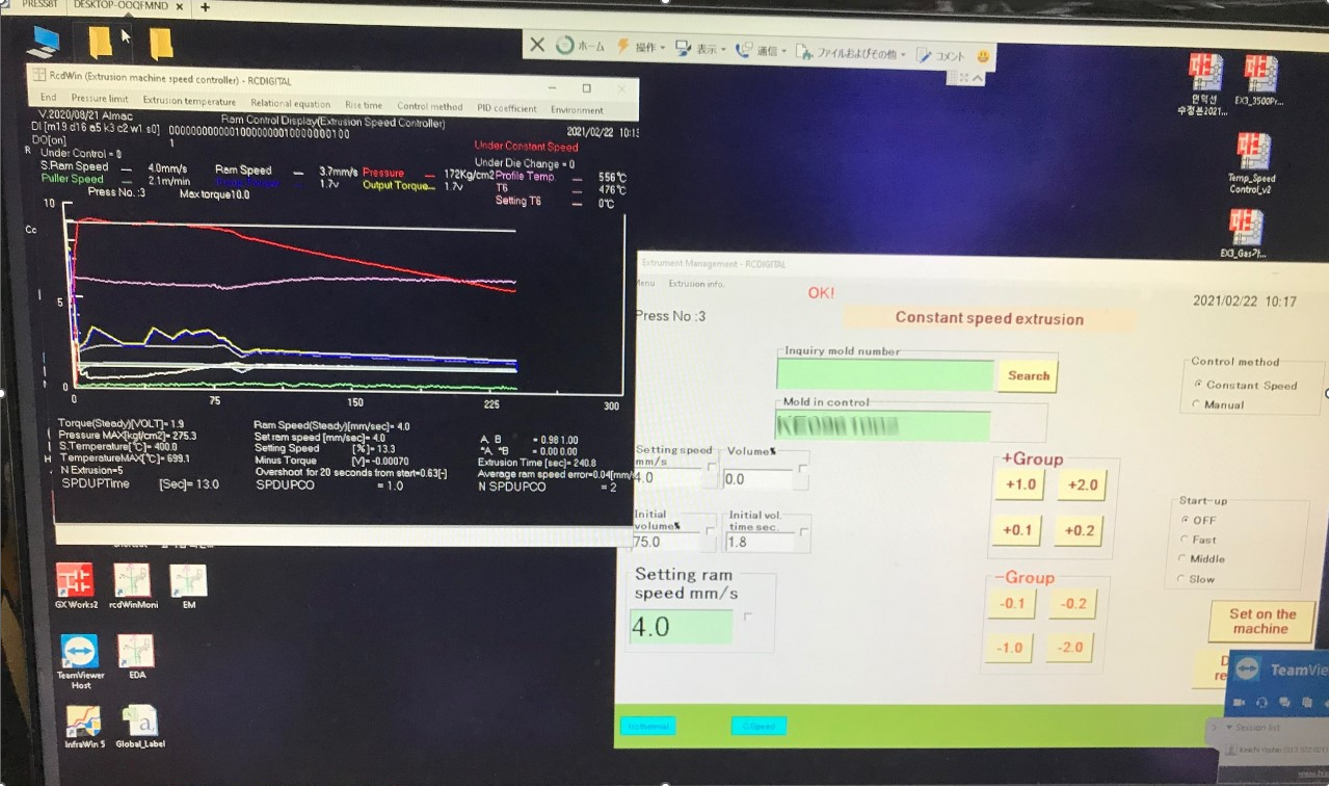
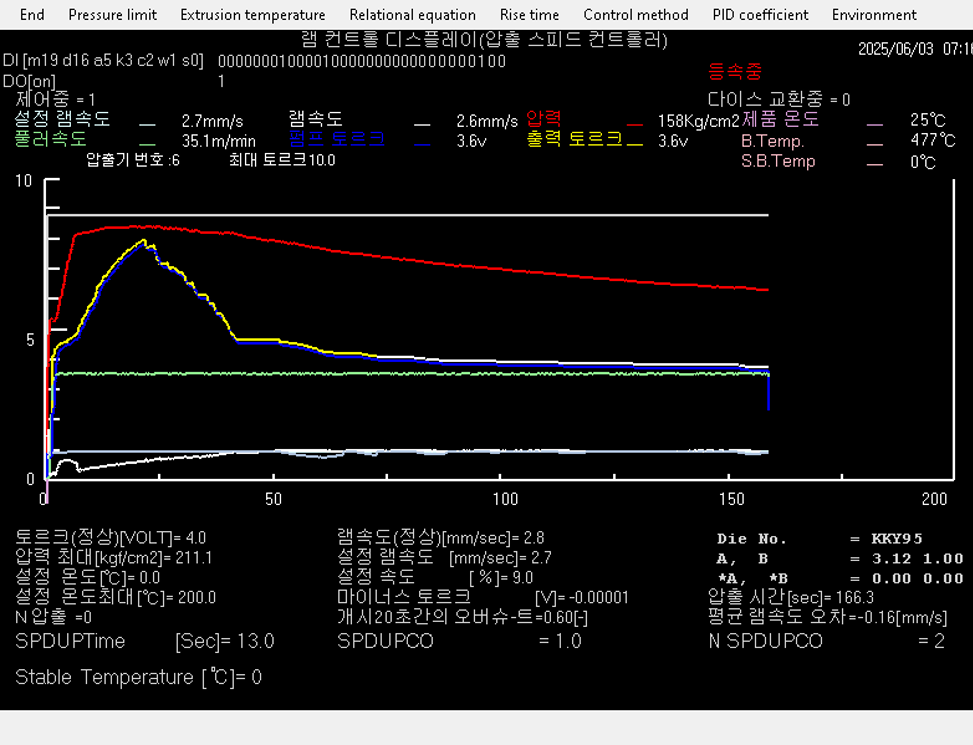
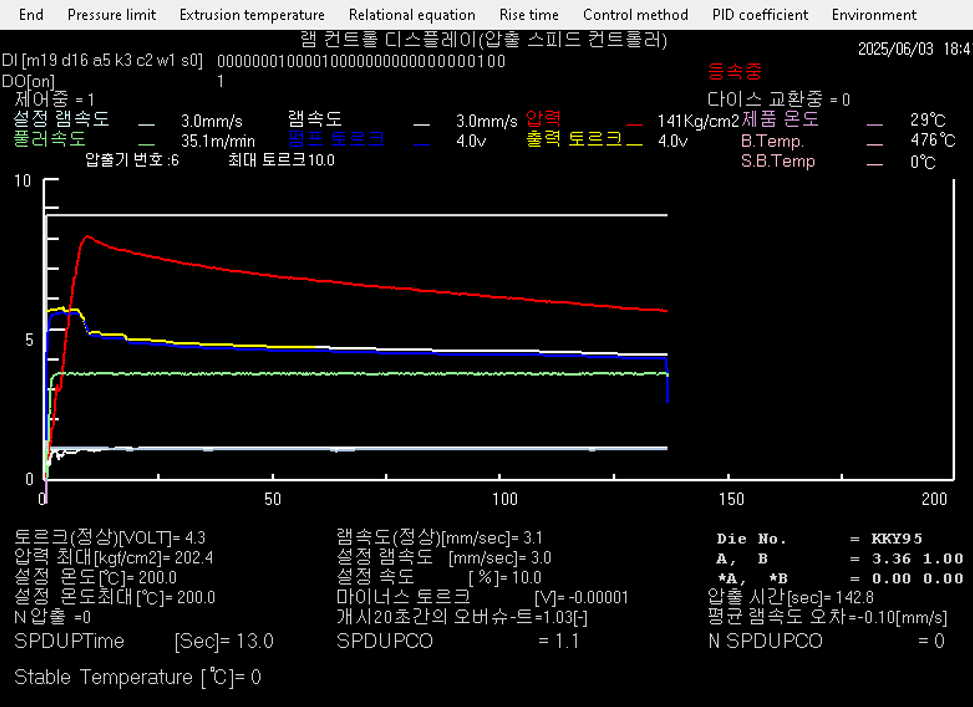
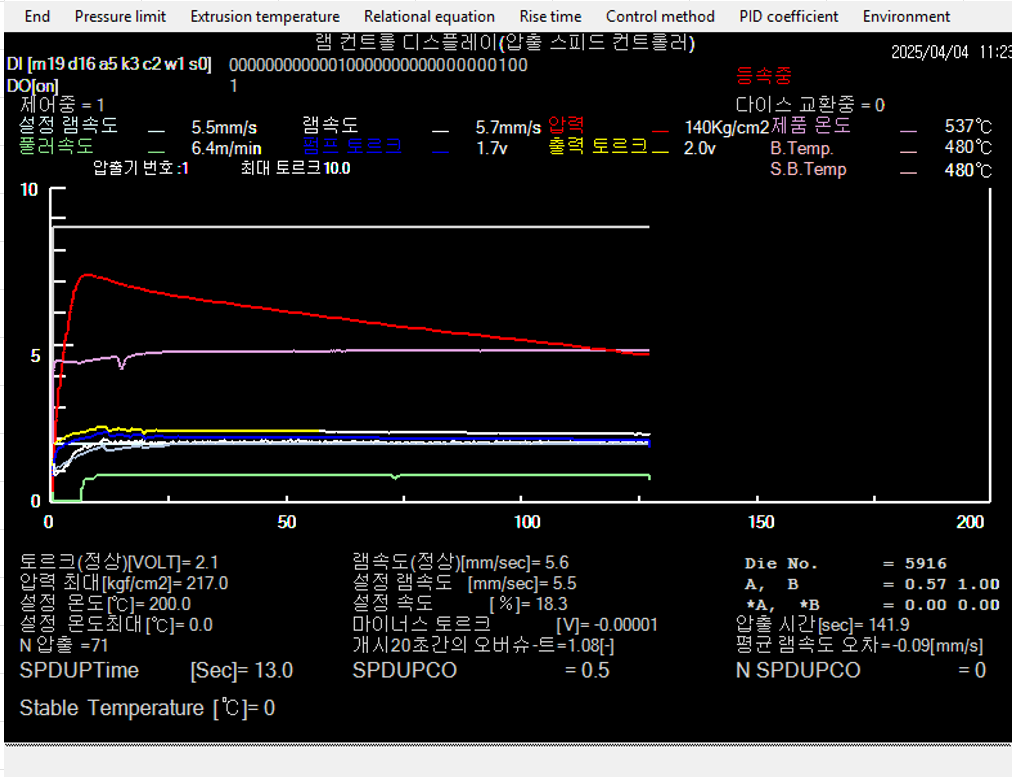
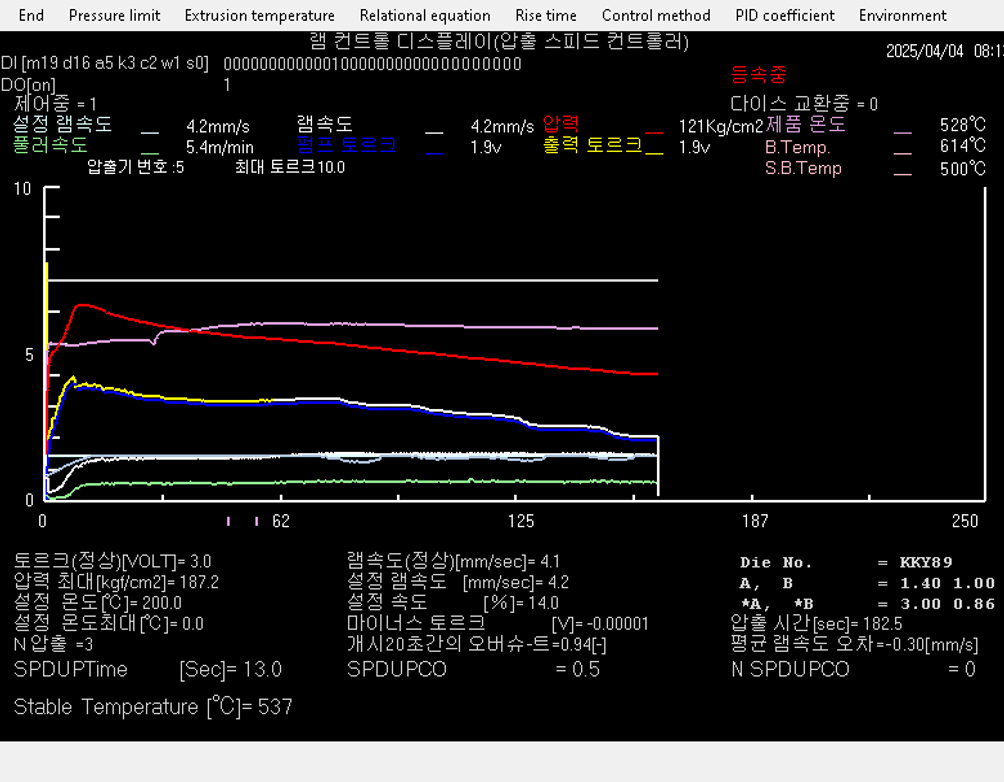
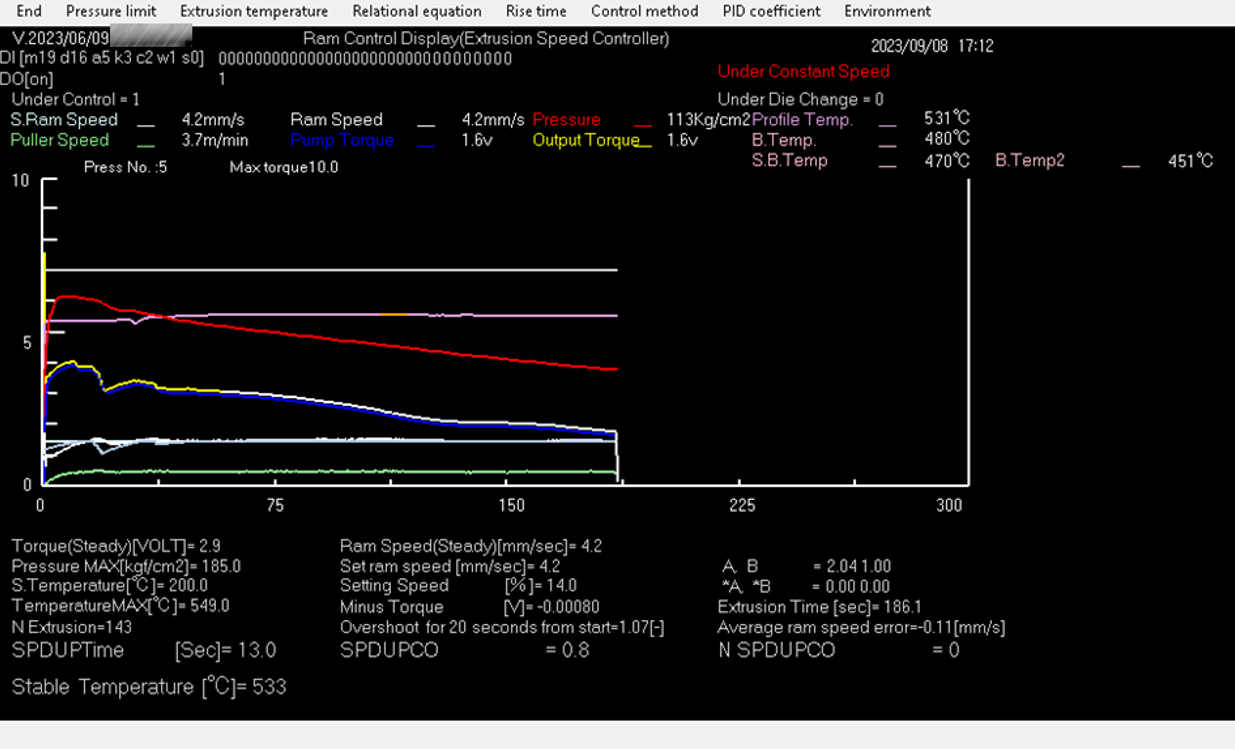
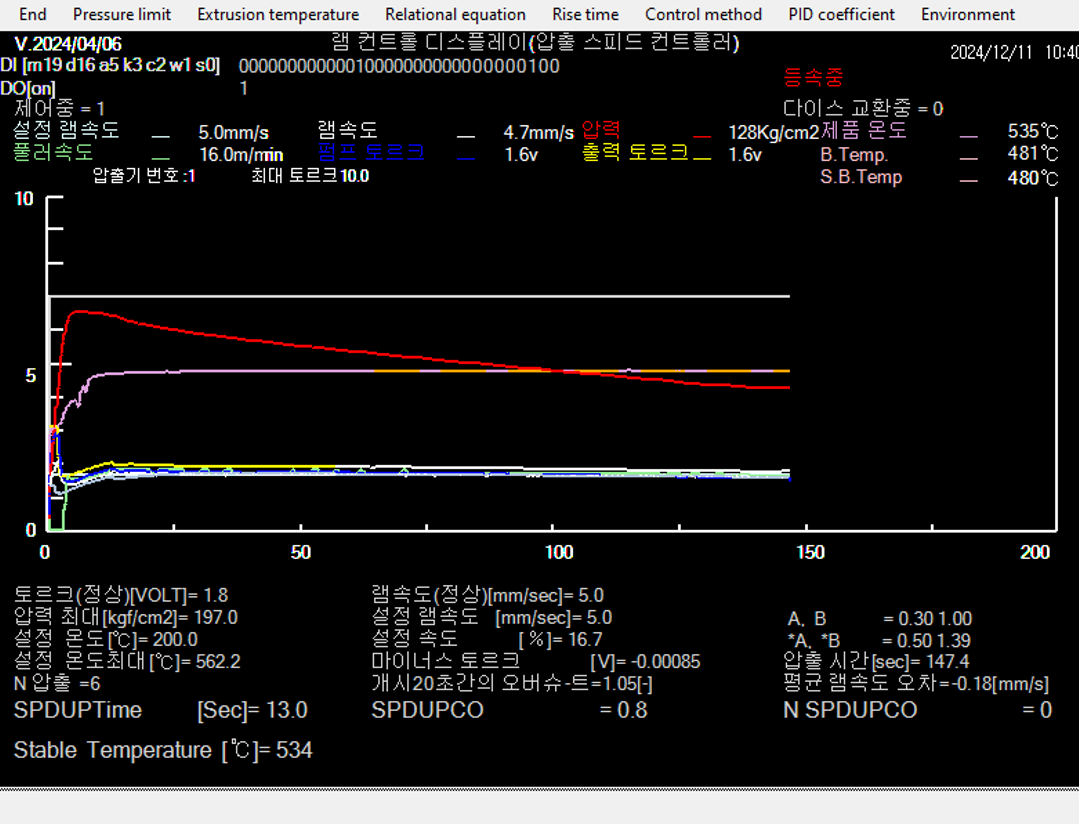
Constant-speed extrusion (RcdWin)-Control Screen
| Mold |
Set speed |
| A light blue
|
Set speed
|
| B wihite
|
Ram speed |
| C Red
|
Pressure |
| D Green |
Puller speed |
| E Blue |
Monitor torque (actual pump output torque signal)
|
| F Yellow
|
Torque signal from RcdWin (turns white when steady state is reached)
|
| G Approximately 8V: White
|
Pressure limit |

S503
↑TOP of Page
6
Constant-speed extrusion (RcdWin) -Overshoot prevention
Overshoot prevention
・Torque Ram Speed Relationship Predicts Ram Speed Rise to Prevent Overshoot.
・With normal PID control, the amount of overshoot is large.
Productivity Enhancement
・Overshoot prevention allows for higher extrusion setting speeds and higher production.
・Automatic adjustment of the setting speed without the need for an operator compensates for hydraulic fluctuations during long-term extrusion and provides constant velocity control.
Improved maintainability
・Ram torque relations, rise coefficients, and constant velocity parameters can be automated.

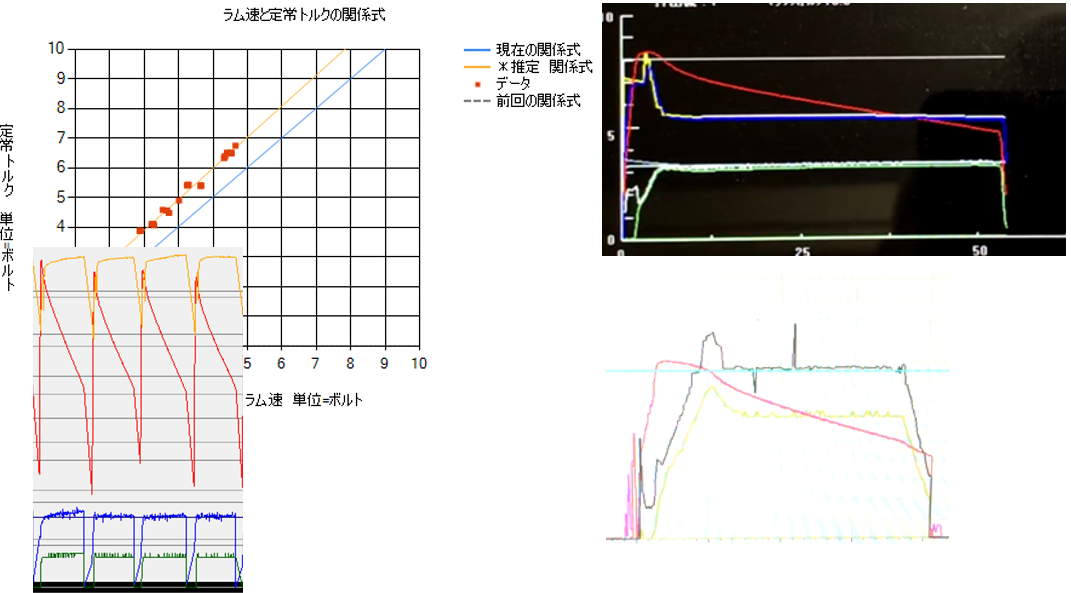
Figure6-1
Top left:Ram speed and torque have a linear relationship.
Note > we use the word torque to mean the flow rate of oil.
Top right:RcdWin does not overshoot.
Bottom left:Normal PID control overshoots.
Bottom right:The first one is manual, the second, third and fourth are constant speed. There is no change in noise whether manual or constant speed.
Note> Even if you use constant velocity extrusion, the ram speed will not be beautiful. Normally, ram speed is accompanied by periodic noise of about 1 second.
↑TOP of Page
7
Automate rise adjustment
S701

Figure7-1
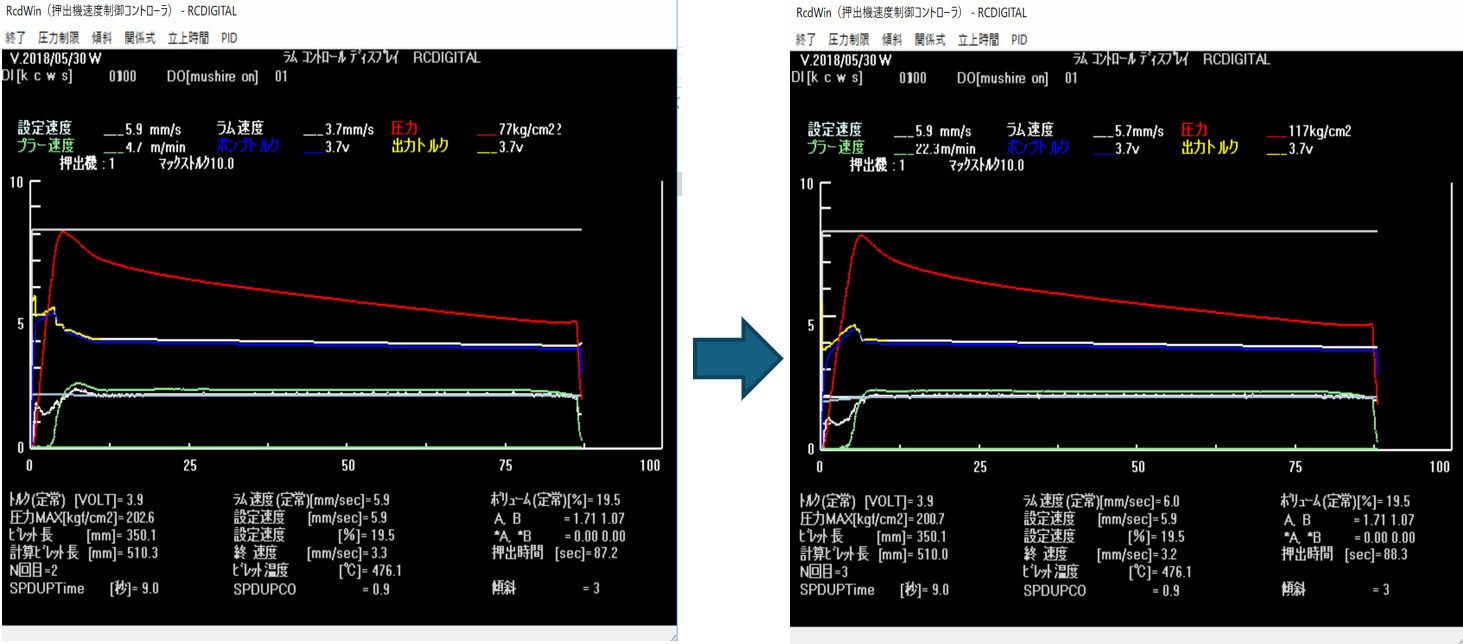
Left side:Overshot with a rise coefficient of 1.0.
Right side:The rise factor is now automatically 0.9. It almost no longer overshoots.
↑TOP of Page
8
Pressure Limiting
・When the pressure exceeds the relief pressure, the extrusion rate hardly rises.
・Therefore, the control voltage is reduced to save energy. Thermal relay will be turned on for long full load operation. Manufacturing is interrupted and product defects。In addition, long-term full-load operation can cause the profile to pop out and make the operator dangerous. Prevent them。
It may start up a little slower, but it will save energy and prevent trouble, and as a result, productivity will increase. It also seems that they are sometimes used to make the machine last longer。

Figure8-1
Overshoot prevention
・As you can see in the figure, dynamically fine-tune the set speed near the extrusion set speed. This is to prevent overshoot。
・Changing the extrusion setting speed is usually done by the operator, but RcdWin does it automatically. It will save labor. Adjustment of PID parameters used to prevent overshoot is no longer required。
↑TOP of Page
9
Minimum configuration
ram speed,
pressure
Monitor Torque
If there are three pieces of data, constant velocity extrusion is possible.
I think that equipment modification companies estimate construction in units of one measurement data. Being able to control constant velocity with less data is an advantage for the factory because the cost of construction is lower.

Figure9-1
Constant Velocity Extrusion When Flow Flows Away from Relief
・Automatic adjustment of the set speed ensures no overshoot。

Figure9-2
Quick constant velocity extrusion with rising
・Low pressure fluctuations do not result in automatic adjustment of the set speed.
↑TOP of Page
10
Hydraulic fluctuation compensation (new and old extrusion presses)

Figure10-1
For new extrusion press
・Pressure fluctuations 180 times.
・There is only one time for start-up, and there is a correction by automatically adjusting the set speed.

Figure10-2
For older extrusion presses
・Pressure fluctuations 375 times. Frequent pressure fluctuations are compensated for by adjusting the speed of the automatic setting speed in three times。
・The automatic setting speed adjusts the set speed on behalf of the operator.
↑TOP of Page
11
Isothermal extrusion at steady temperature
Isothermal extrusion
・When isothermal extrusion is performed, the set temperature is automatically calculated and isothermal extrusion is performed.
・You can check the billet taper, billet temperature, and steady temperature in the billet table.
・If the product temperature deviates from the steady temperature, fine-tuning is made.
・If the steady temperature cannot be obtained, constant velocity extrusion is performed.

Figure11-1
The set speed is tilted to reduce the product temperature.

Figure11-2
The set speed is tilted to reduce the product temperature.
↑TOP of Page
12
Extrusion management(EM)
・Register, change, and search for constant speed extrusion and isothermal extrusion parameters on an extrusion die basis.
・Setting the extrusion speed.
・Schedule Management.
・Constant Speed Extrusion/Isothermal Extrusion/Manual Switching.

Figure12-1
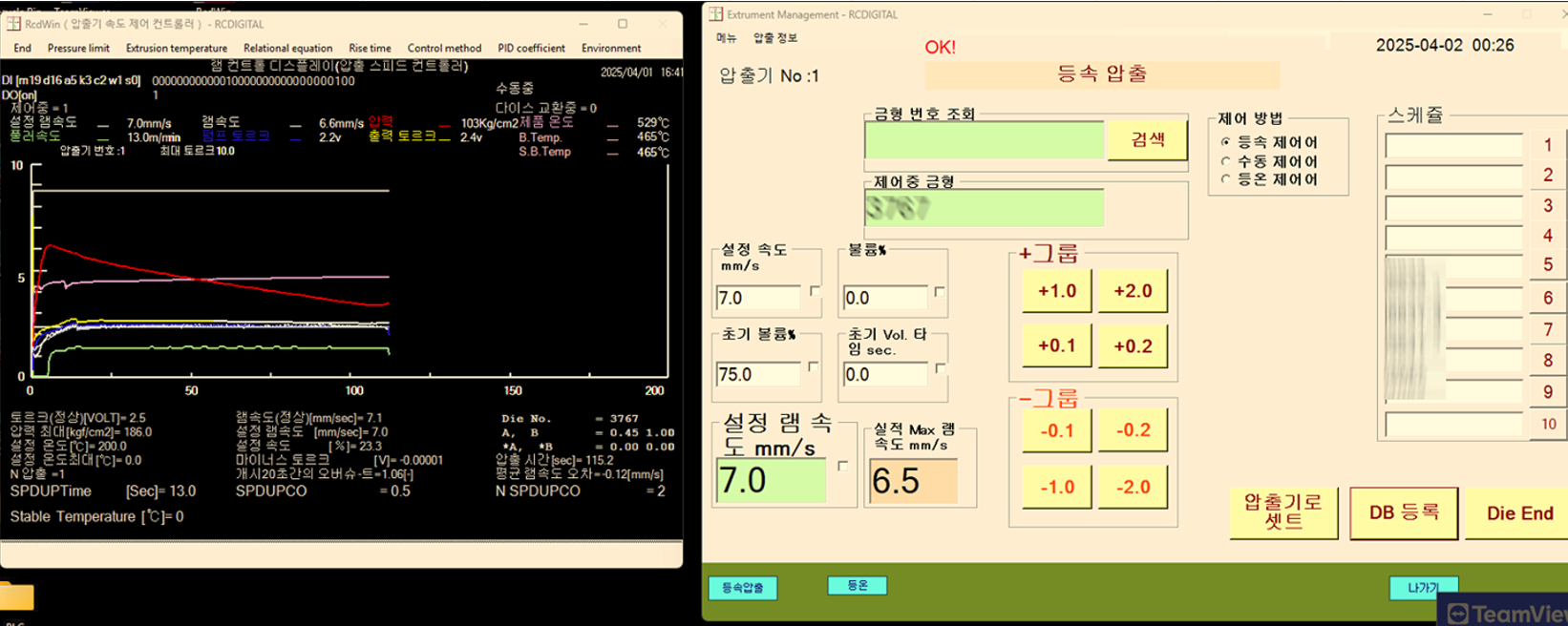
Constant Velocity Extrusion (RcdWin) and Extrusion Management (EM)
・I'm setting the set speed with EM and running constant speed extrusion with RcdWin.
↑TOP of Page
13
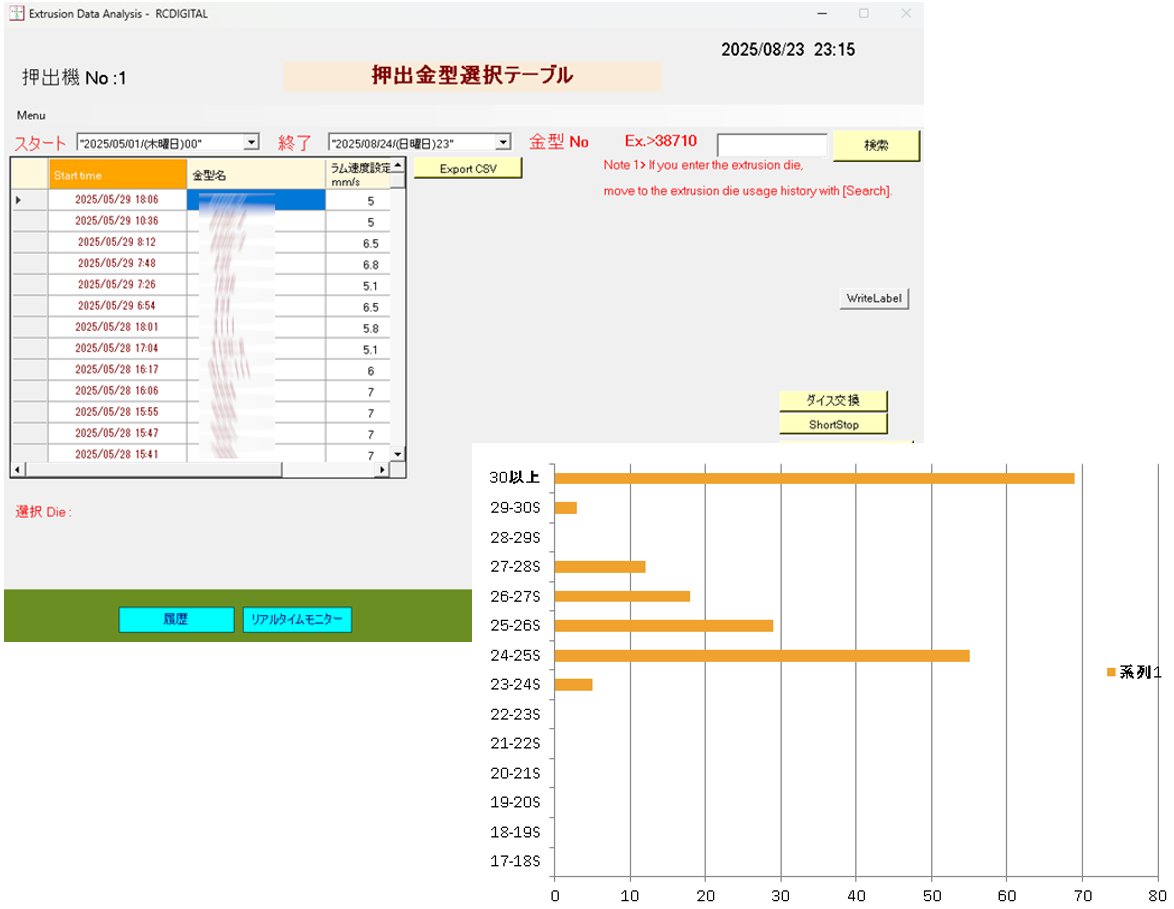
EDA Extrusion Dice Selection and Idle Time Graph
feature
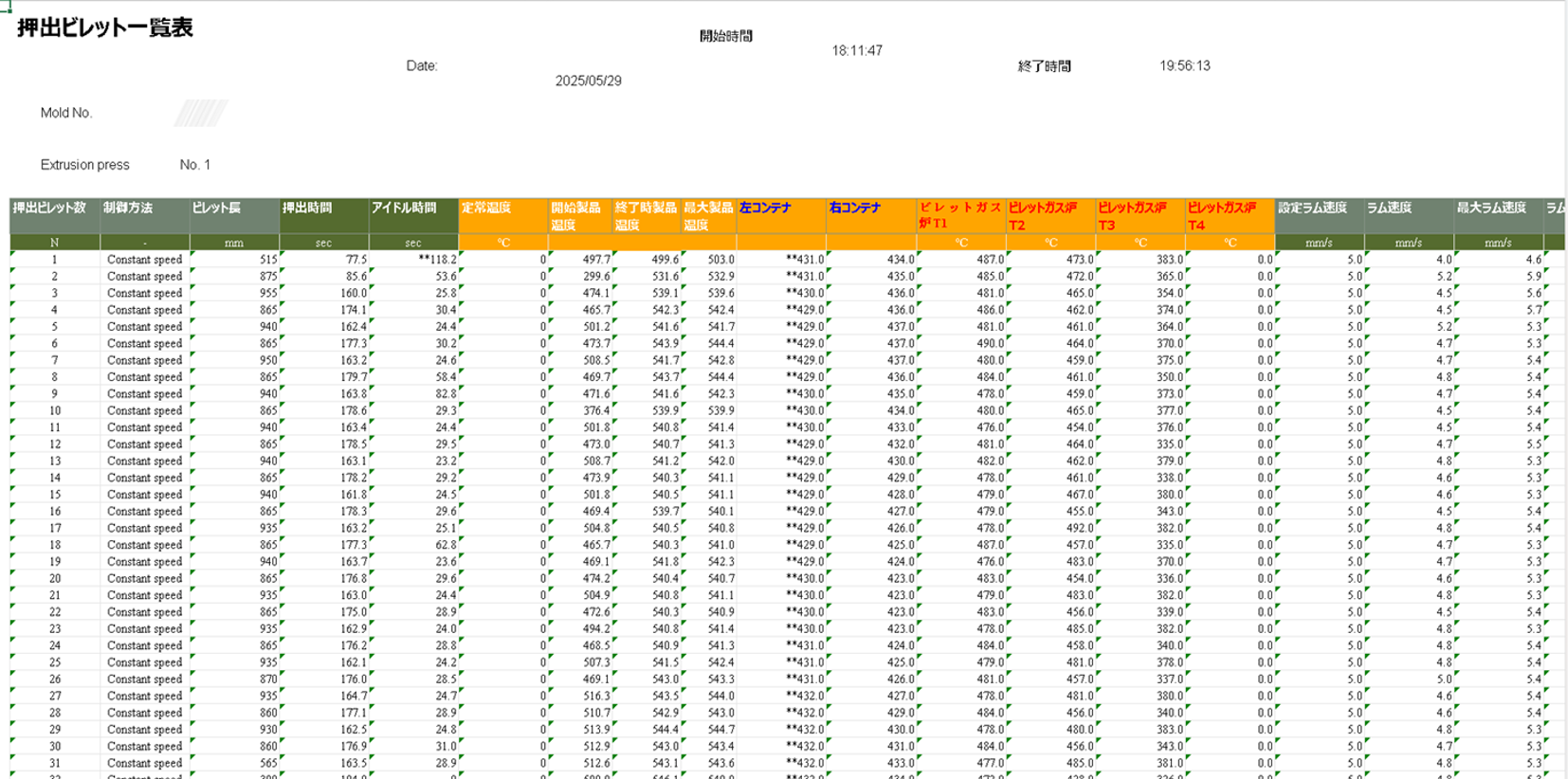
・Extrusion data analysis, work history, extrusion billet table, work daily report.
Various functions
・Extruded billet table, work daily report.
・Detection of abnormal data in equipment.
・CSV graph of non-extrusion time (idle time), chocolate stop, and dice exchange time.
・History of extrusion parameters per extrusion die.
・Real-time monitor.
・Extrusion Data Graph.

Figure13-1
Left side
・Select [Extrusion Dice Model Number] and click History.
・You will be taken to the [Extrusion Dies Usage History] screen.
Non-extrusion time Xlsx file
Right side
・Click on Non-Extrusion Time Xlsx File.
・The idle time of the Start and End periods is printed in the Xlsx file in the graph.
↑TOP of Page
14
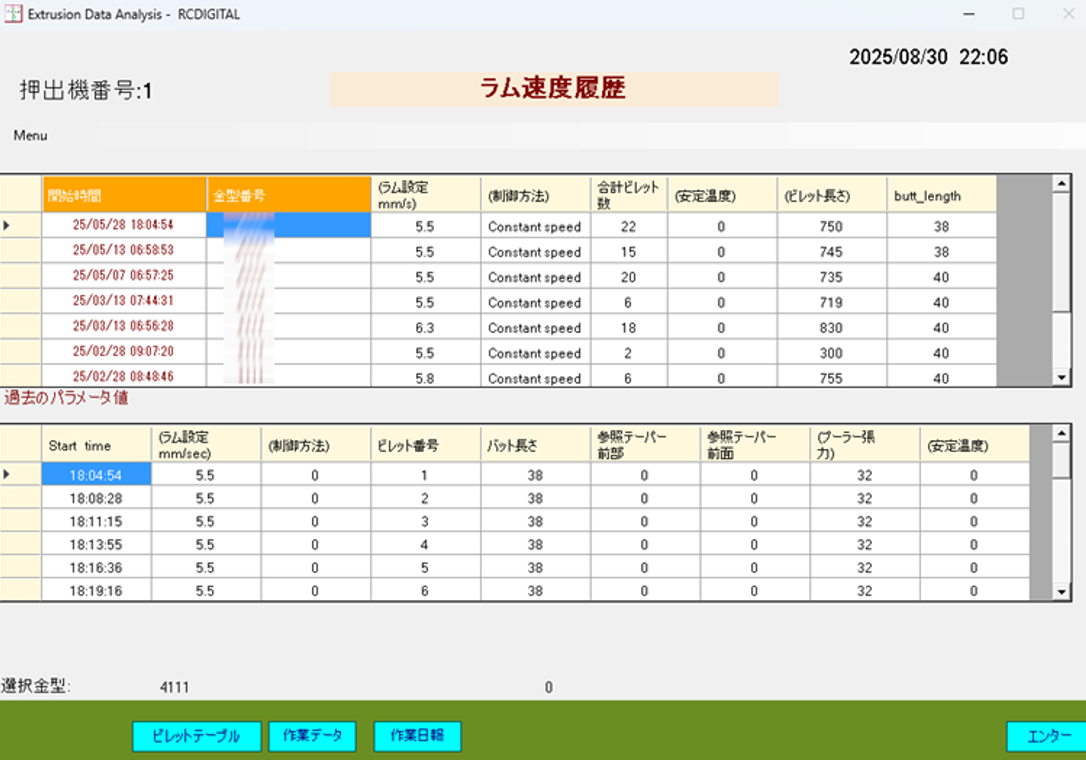
EDA Extrusion die usage history and extrusion billet table

Figure14-1
Extrusion die usage history
・View the usage history of the same extrusion die in order from the newest.
・Displays the extrusion parameters of the extrusion die for the selected day in the table below.
・The extrusion manager can examine the parameter transitions.
・You can ask the operator why the parameter was changed. In particular, changing the extrusion speed is an important item because it is directly related to productivity.
・When you run the Extrusion Billet Table, you will be taken to the Print Form screen for the extrusion of the extrusion die on the selected day.

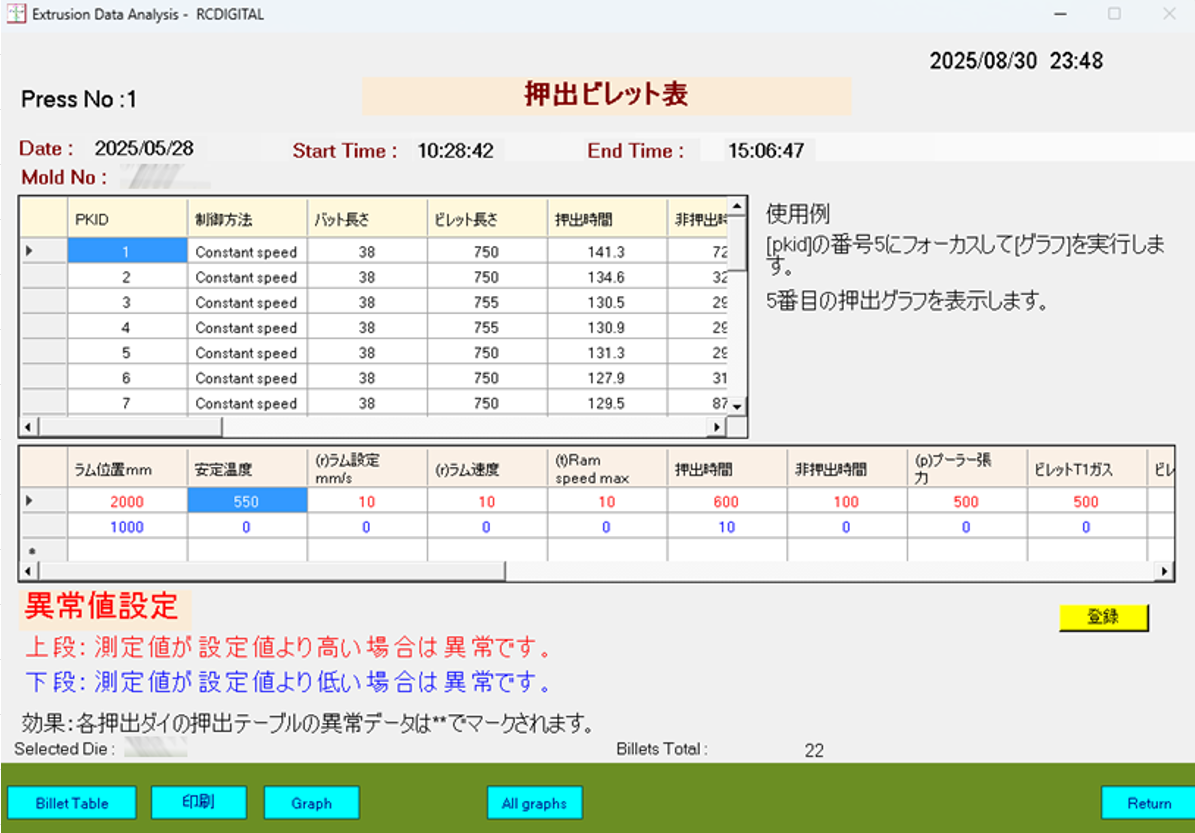
Figure14-2
Extruded Billet Table Screen
Printing of Extruded Billet Table.
Setting Outliers in Measurement Data.
Extrusion die unit extrusion graph display.
1Display of extrusion graph for each extrusion.
↑TOP of Page
15
EDA Extrusion Billet List and Extrusion Graph

Figure15-1
Extruded Billet Table Screen
・Printing of Extruded Billet Table.
・Setting Outliers in Measurement Data.
・Extrusion die unit extrusion graph display.
・1Display of extrusion graph for each extrusion.

Figure15-2
Extrusion Chart
・Graph display of report data.
・Manual on the left: Ram speed is slowly increasing.
・Constant speed on the right: The ram speed is according to the set speed. It does not rise. However, the ram speed can be observed in the same way as manual vibrations and noises of the machine.
・This means that even if there is noise, constant velocity extrusion is possible, so it can be understood that robust constant velocity control is being carried out.
↑TOP of Page
16
EDA Real-time monitor and extrusion die unit graph

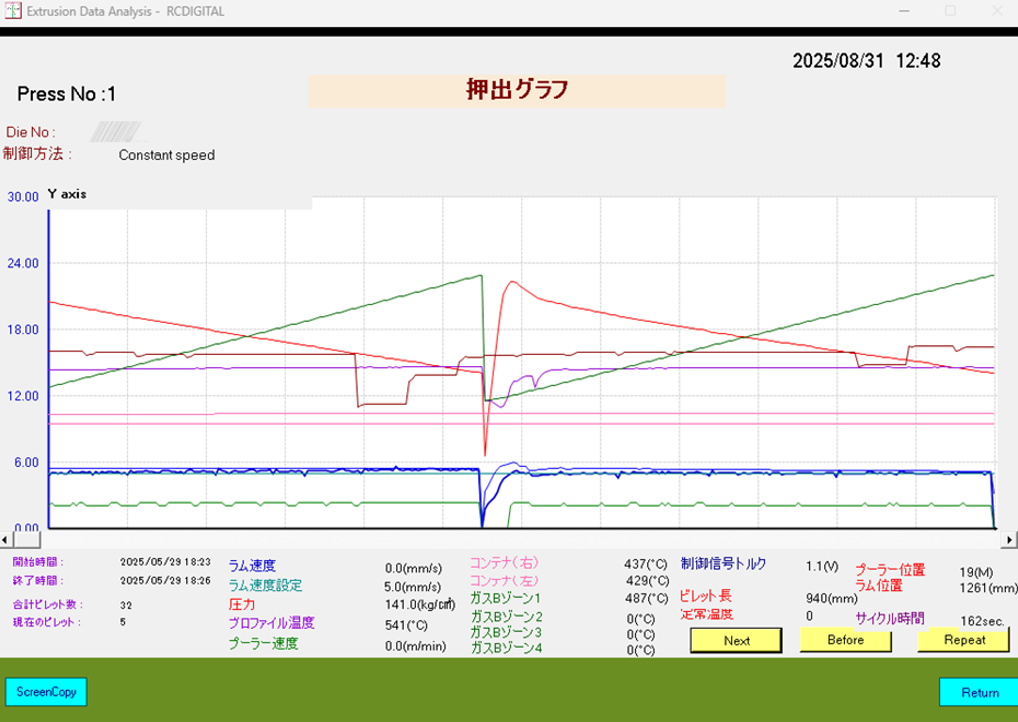
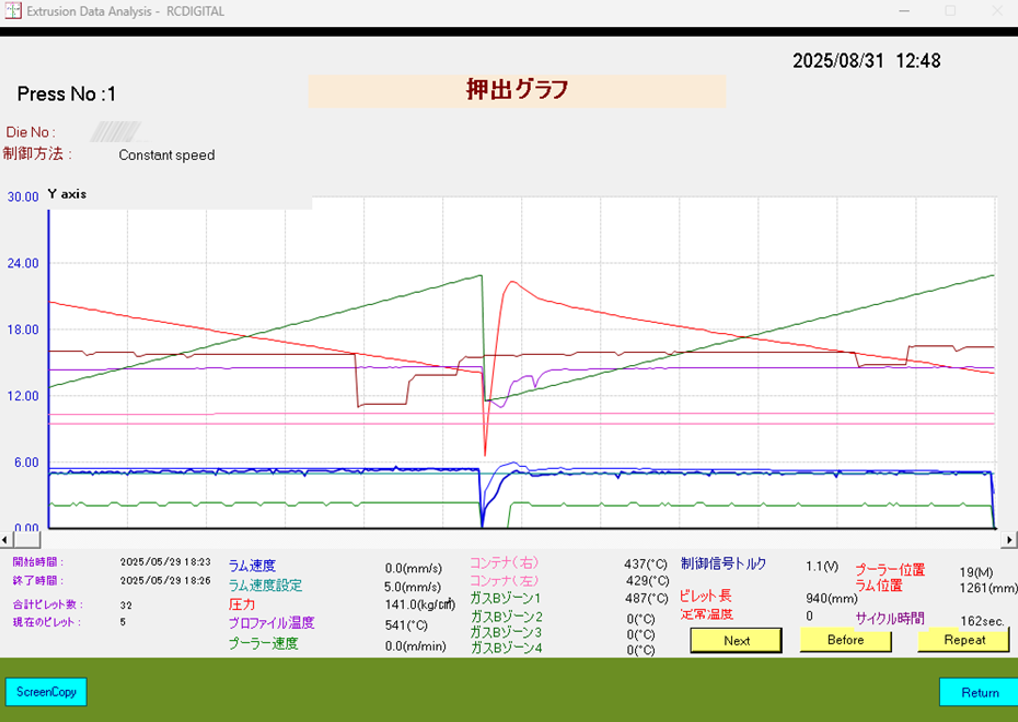
Figure16-1
Real-time monitor
・You can see the extrusion status in real-time graphs.
・die-specific information: die number, etc.
・Per-billet information: set ram speed, ram speed, puller speed, pressure, billet length, etc.

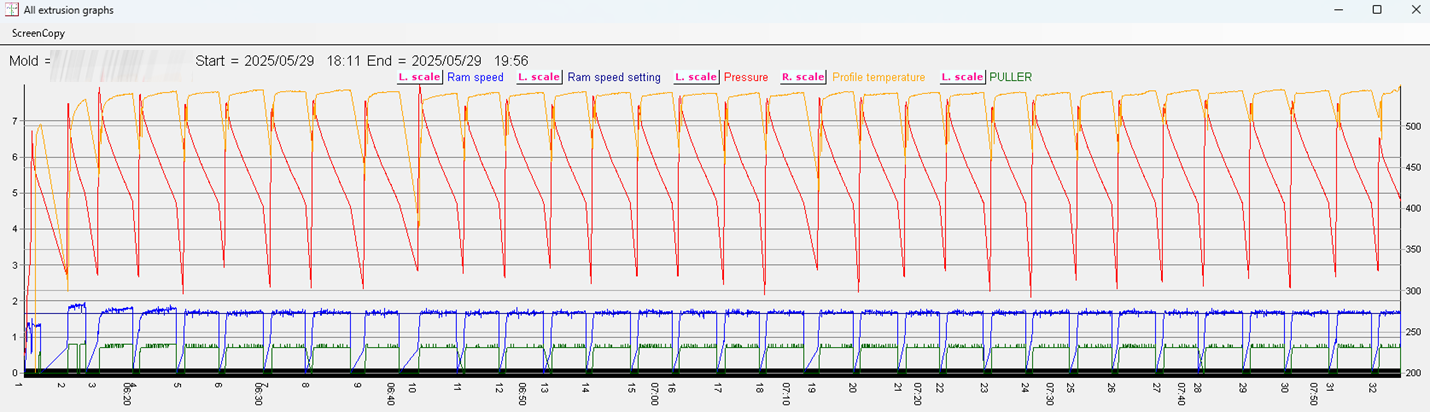
Figure16-2
Extrusion graph per extrusion die
・All extrusion graphs for each extrusion die can be displayed in a single diagram.
・The first billet involves head feeding and manual extrusion.
・The second and third billets are processed by manual extrusion.
・From the fourth billet onward, constant-speed extrusion is applied.
↑TOP of Page
17
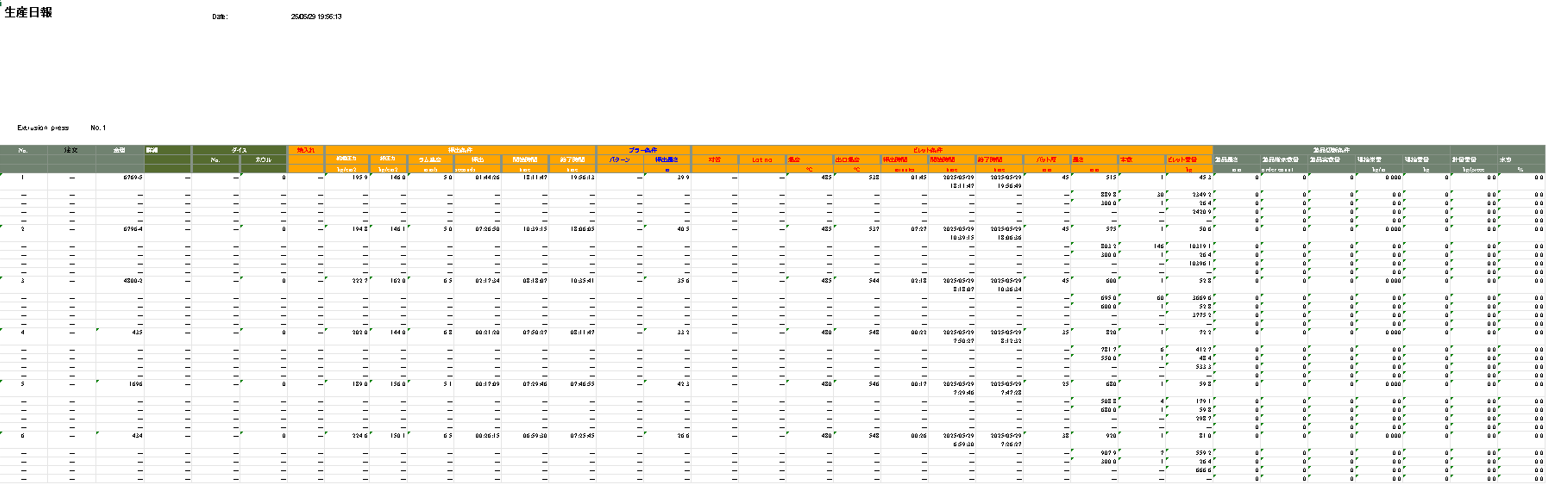
EDA Automatic creation of work daily reports

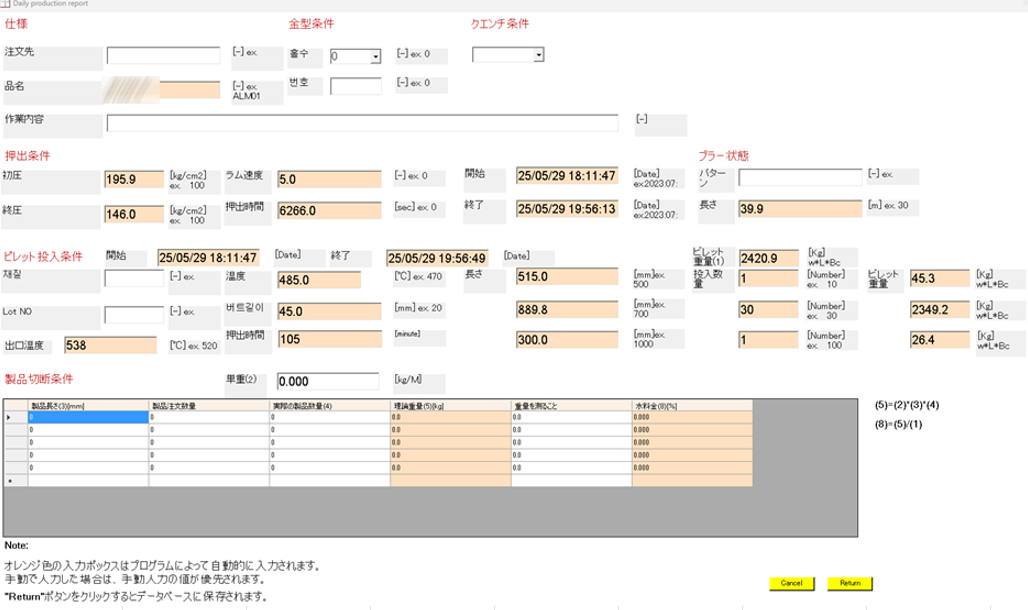
Figure17-1
Work Daily Report Input Form
・The automatic calculation shows the extrusion die number, extrusion time, number of billets, billet length, billet weight, etc.
・The orange part is an item that is automatically calculated.

Figure17-2
Daily Report
・This is a summary table for each extrusion die for one day.
↑TOP of Page
18
Remote Maintenance

Figure18-1
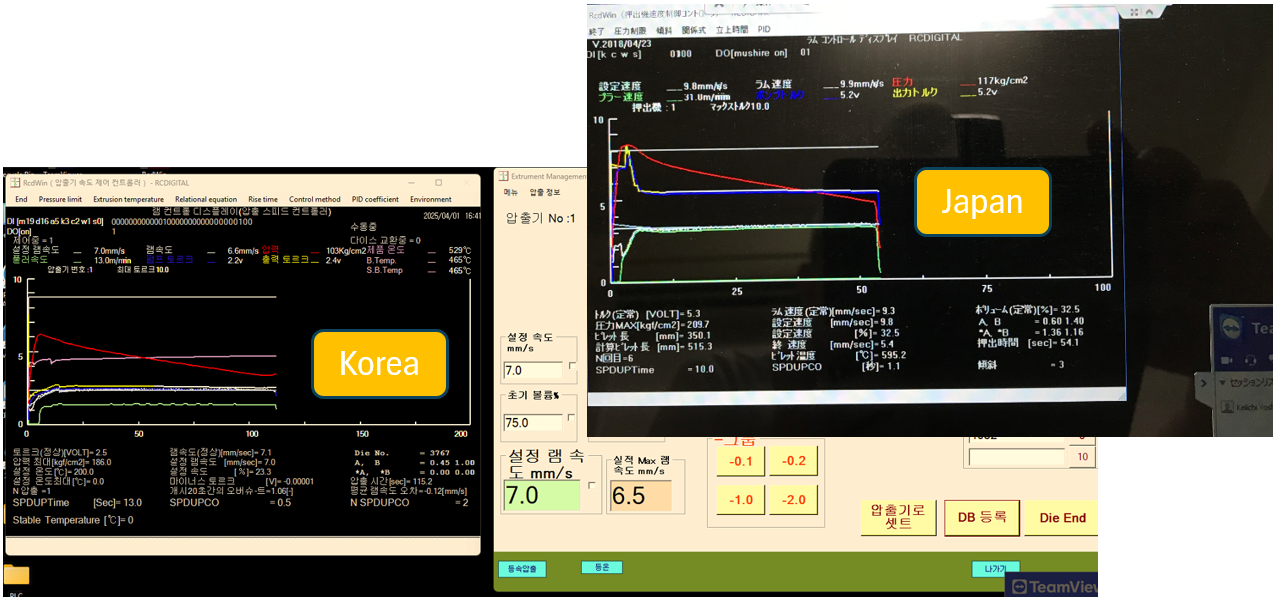
You can use TeamViewer to log in to PCs in different countries to install and maintain programs.
↑TOP of Page